I had just written a module that pulls data off Teachers TV so that sucks.
We are due to launch Primary School TV this year which aims at providing early years and KS1/2 pupils with learning content from various content providers including Teachers TV, BBC and from aggregated sites such as Youtube.
So who can take up this slack in providing CPD? Vital and Naace both good choices.
Could Teachers TV exist as a business model without any external funding? I actually think this is a better model. It will push Teachers TV into a global landscape and that makes sense. Expect to see lots of Ads on Teachers TV (See the Dave TV channel for reference).
I’m doing a 7 minute presentation on Google’s Hidden Gems at Teachmeet Yorkshire and Humber 2010 at Doncaster South City Learning Centre on 26th March.
To use an Android phone in your classroom you will find a great deal already available to you on the device however you will probably want to get some applications from the market…
To get an application simply goto your home page on the device, Click Android Market, search for one of the below apps:
FEATURED – Classdroid is an app I work on. It is open source and free. It is used as a simple assessment app where a teacher takes a picture of a pupils piece of work, grades it and assigns it to a pupil. The work is then uploaded to the pupils learning portfolio. Visit here to find out more about Classdroid
1. Zebra Paint – Paint with your fingers! Pick your favorite color and paint the image. Use the menu button to pick one of the dozen built-in templates. When ready, save your images and share with the world! Tested with 4 to 5 year old kids. Requires a touch screen.
2. Maths Workout – Test your mental maths and exercise your brain once a day. Maths Workout is a daily routine for thousands of players worldwide – both young and old. Get competitive! Play the World Challenge and submit your score for ranking with other players around the world.
3. Brain Genius Deluxe – Get a head start to getting smart by playing through a daily dose of teasing and original brain exercises. Brain Genius Deluxe is the Android game to train your brain, with 24 touch and motion-controlled games as well as bonus puzzles including Sudoku! It’s pure Genius!
4. WordPlayer Art of War – WordPlayer is a book reader that allows you to add to your library from amongst thousands of instantly downloadable books or load epub books. WordPlayer’s page navigation, highlighting, bookmarking, and customizable settings make reading a breeze. Comes with Sun Tzu’s classic book of strategy, Art of War, already installed.
5. My Maps Editor by Google – Create, edit, share, and view personalized maps on your phone synchronized with the My Maps tab on Google Maps. We provide full editing functionality for markers, lines, and shapes, plus you can mark your location using GPS or attach a photo directly from your phone.
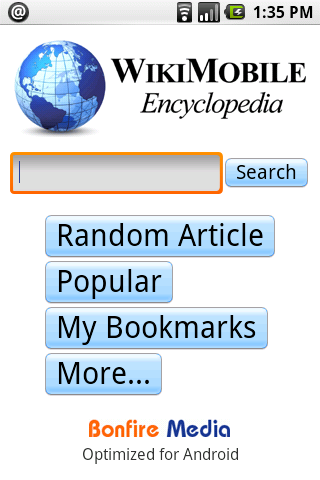
6. WikiMobile Encyclopedia – Being a walking encyclopedia is now at your fingertips. With WikiMobile, you carry 2+ million Wikipedia articles with you, including pictures. Faster and uses just a fraction of the network data vs. the Android browser. Download free for a limited time!
7. Google Sky Map– Google Sky Map: A star map for Android. Google Sky Map turns your Android-powered mobile phone into a dynamic window on the night sky. When you point your phone up you will see a map of the brightest stars, constellations, and planets in that part of the sky.
8. Pintail (not educational but useful) – Lost your pho
ne? Find it with an SMS: Pintail replies automatically with your phone’s location to a PIN protected message. Let friends and family ea
sily find out where you are by sharing your PIN number with them: They send an SMS, Pintail replies with your location.
9. School Email (UK only as of yet) – You don’t need to download this! School Email is the easiest and safest service for emailing between pupils and teachers. Pupils emails are checked for sexual predators and bullying. The service runs over Activsync which means pupils are always “up to date”.
10. Keepy Uppy – If you are struggling getting young boys who enjoy football(soccer) to use their device you may want to think about using an app such as Keepy Uppy as a reward for good work.
North Yorkshire County Council – E-safety Links and Resources – http://content.yudu.com/Library/A1dk37/esafetyApril09/resources/index.htm?referrerUrl=http://www.yudu.com/item/details/74728/e-safety–April-09-%3Frefid%3D18007 – This site is a selection of recommended sites to use to delivery E-Safety in schools.
Internet Safety @ Next Generation Learning – http://www.nextgenerationlearning.org.uk/At-Home/Internet-safety/ – Here you will find links to lots of resources on internet safety.The content is aimed at both home and school and has resources for parents and children.
E-safety week – http://www.esafetyweek.info/ – I love this idea.E-Safety can affect every aspect of our lives so to introduce it across an entire week seems fantastic. This site is made by Oldham and provides a framework for other LA’s to do similar exercises.
Primary School Safe Search – http://primaryschoolict.com/ – A google powered safe search engine that gets educational results more accurately.Great for setting as pupils and teachers home page.I like this site because it’s not so much a teaching resource as a learning aid.
In the education sector there has been a massive push towards software that makes children using the internet a safer experience. eSafety is commonly taught in all schools and interestingly enough there is also an approach to “schools must teach more” with the recent formal introduction of PSHCE. From an outside point of view that seems to me that the 2 angles of approach must meet in the middle.
It seems to scream to me “Teachers must teach more eSafety!“.
Consider a man wanting to cross a road, he can be instructed by the signs to a safe place to cross or we can only allow him to cross in one place. By allowing children to be educated into where we cross the road we don’t restrict them to closed options. It seems to me that we actively encourage them to make decisions and therefore learn.
Is our current approach correct?
In many ways no. We still have a compulsive fascination with ways to protect our children. Being that I was brought up in the soils of Yorkshire, I find it hard to understand a constant barrage of rules, regulation and “health ‘n safety”. We are not doing enough to empower pupils to make decisions in eSafety and this is mostly to blame on Software houses and the demand on software houses to make overly protective environments for children to learn in.
Are we confusing eSafety with a need to have extended controls?
The example I like to use is a teacher asking his or her pupils to sign into their hotmail accounts which they created. The pupils begin logging, suddenly a scream from the back bellows “Miss I can’t remember my password!”. The teacher is Shocked and now baffled by the puzzle they face. The teacher doesn’t have time to run through the registration process all over again and they can’t reset the password.
The only way this could be resolved quickly is by giving the teacher the means to reset a pupils password or by having a helpdesk type system.
Another great example where extended controls is Primary School Safe Search. With Primary School Safe Search you can Google search any site you want. Instead of displaying a set of search results from a few hundred sites, Primary School Safe Search displays all the safe search results but prioritises the educational and school related materials to the top of the search – filtering only websites catagoriesed explicitly.
My final example is that if a teacher wants to open a pupils mailbox and its with gmail/hotmail etc. to find out if that pupil is being bullied, can they?
We must educate the pupils, and empower the teacher.




 n the education sector there has been a massive push towards software that makes children using the internet a safer experience. eSafety is commonly taught in all schools and interestingly enough there is also an approach to “schools must teach more” with the recent formal introduction of PSHCE. From an outside point of view that seems to me that the 2 angles of approach must meet in the middle.